ReMarker
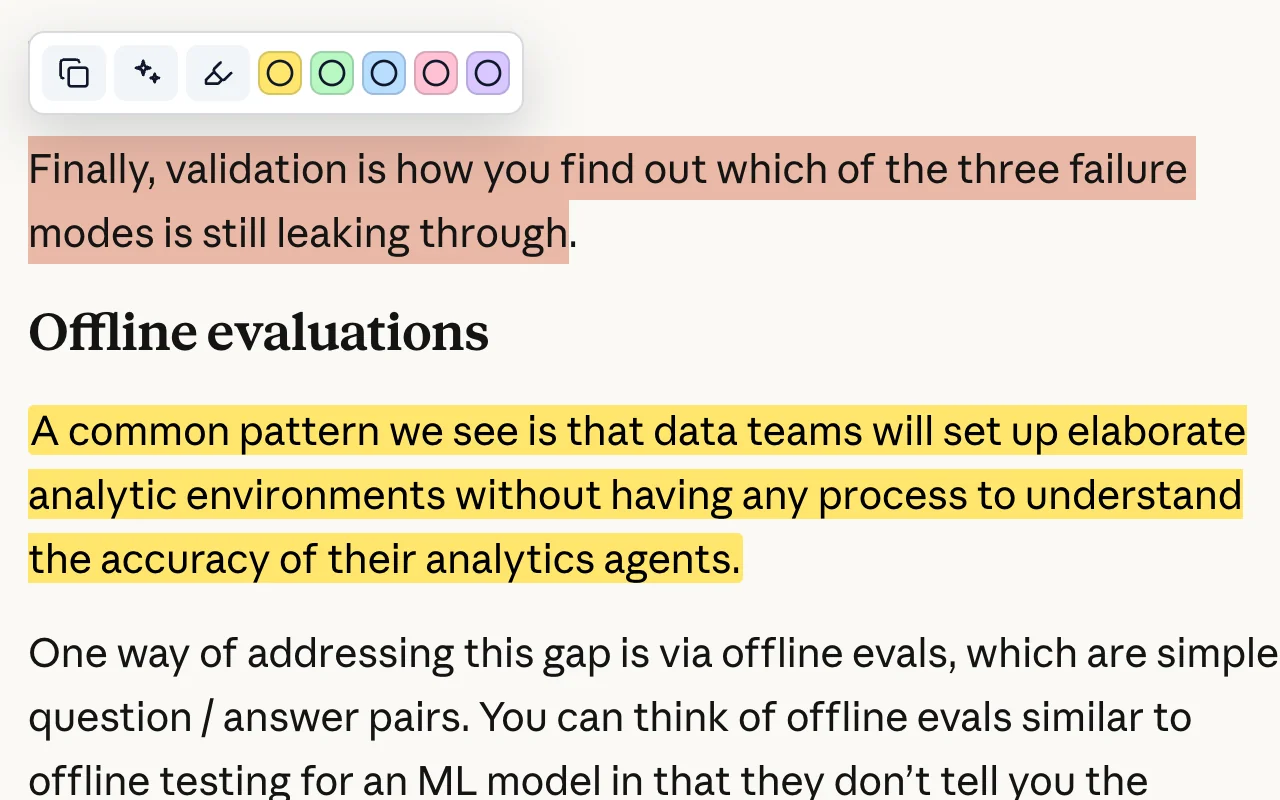
ReMarker is a local-first Chrome extension for deep web reading, language learning, contextual AI word lookup, and personal study notes. It lets readers highlight important passages, explain unfamiliar words and phrases with an OpenAI-compatible model, save vocabulary automatically, keep a page footprint list, and restore highlights and vocabulary underlines when revisiting the same page.
ReMarker is useful for students, researchers, engineers, and language learners who read foreign-language articles, documentation, essays, papers, or long-form web content and want a private, repeatable workflow for understanding, collecting, and reviewing what they read.
Why ReMarker
- It connects reading and vocabulary learning in one flow instead of splitting highlights, dictionary lookup, and review into separate tools.
- It explains words and phrases using the surrounding sentence or paragraph, so the answer is grounded in the page you are reading.
- It automatically turns AI lookup results into vocabulary records, reducing manual note taking.
- It restores previous highlights and vocabulary marks on page revisit, making web reading cumulative.
- It keeps pages that have been highlighted, looked up, or manually added in one footprint list.
- It keeps the database local by default and makes export explicit.
Core Features
- Web page highlights: Highlight and save important passages on web pages, then view, filter, delete, and export them from the options page.
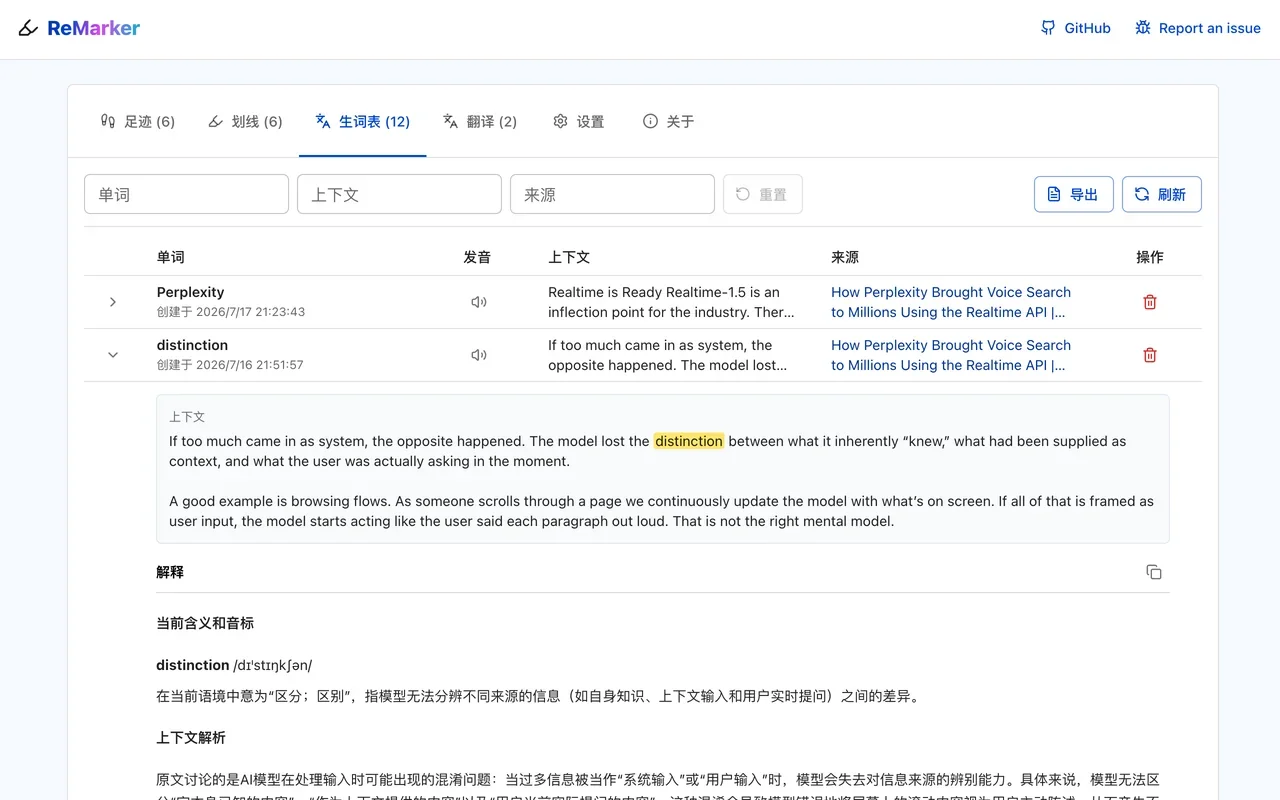
- Contextual AI word lookup: Select a word or phrase and call an OpenAI-compatible LLM to explain its meaning based on the surrounding context.
- Automatic vocabulary list: Save lookup results as vocabulary records automatically, including source URL, page title, context sentence, and explanation.
- Page revisit restoration: Reopen a page to restore previous highlights and vocabulary underlines, with vocabulary lookup results available in place.
- Footprints: View pages that were highlighted, looked up, or manually added, with page title, site name, creation time, highlight count, vocabulary count, star, and archive actions.
- Popup quick controls: Toggle global page highlighting and lookup, toggle the current site, enable automatic lookup-popup closing after copy, add the current page to footprints, and open the management page.
- Pronunciation fallback chain: Use Merriam-Webster audio, Free Dictionary audio, and browser speech synthesis as fallbacks.
- Data import and export: Export highlights and vocabulary to Markdown, and import or export key app data as JSON.
- Multilingual interface: Use the UI language as the target language for AI word lookups and translations.
- Site-level control: Enable or disable ReMarker per site and keep reading preferences configurable.